

 Slack integration
Your TulipFarm agents, in your Slack channels
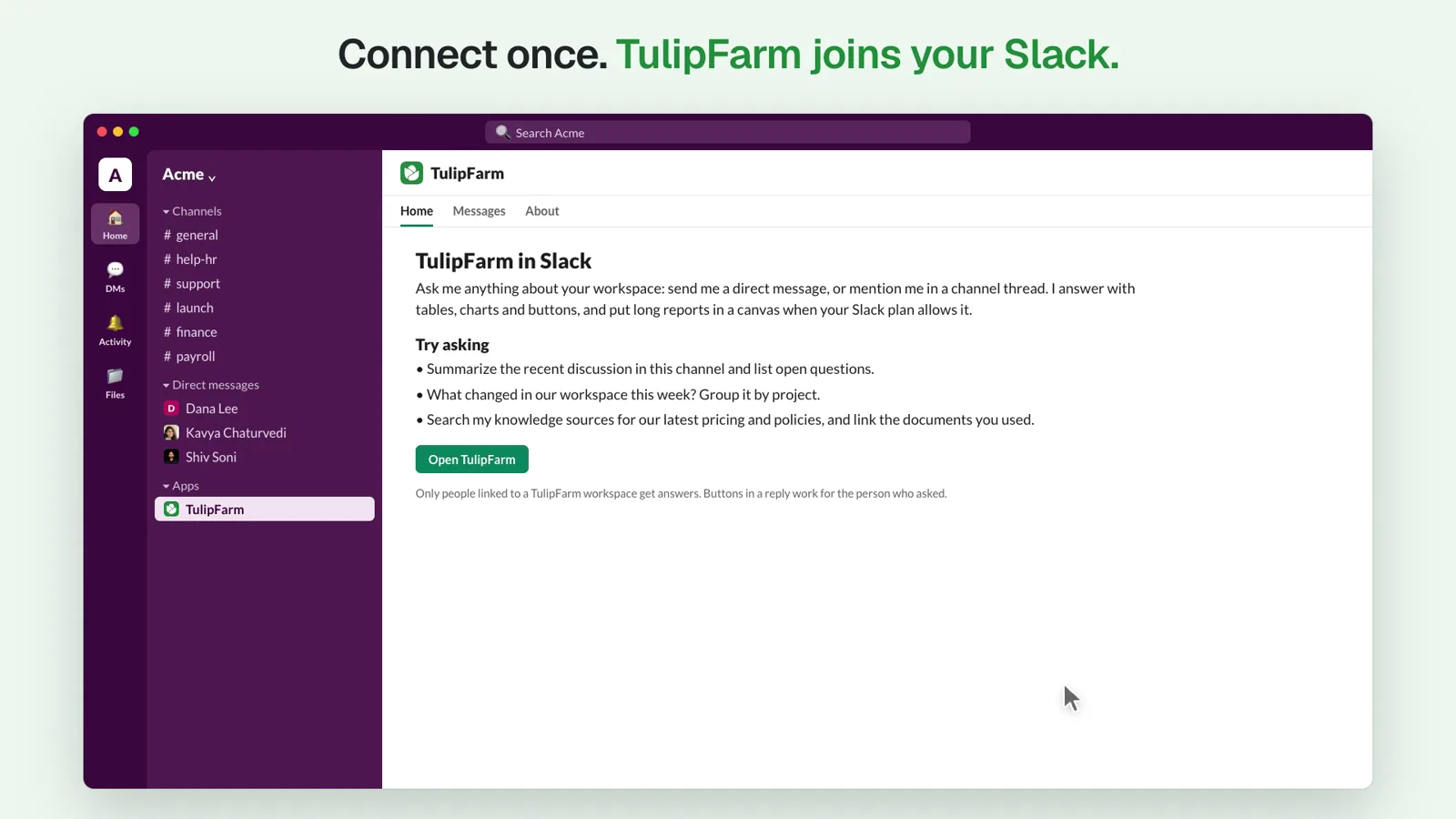
Connect Slack once, then give each channel its own agent. Teammates ask in a thread and get answers with buttons, forms and links to their sources. When an action needs approval, the agent asks in Slack first.
Research preview, open to everyone. Your first signup includes $50 in free credits.
Connect Slack, invite TulipFarm to a channel and link your account.
What your team can do in Slack
TulipFarm joins your Slack workspace as an app. Message it directly, or mention it in any thread, without switching tabs or pasting context into another chat window.
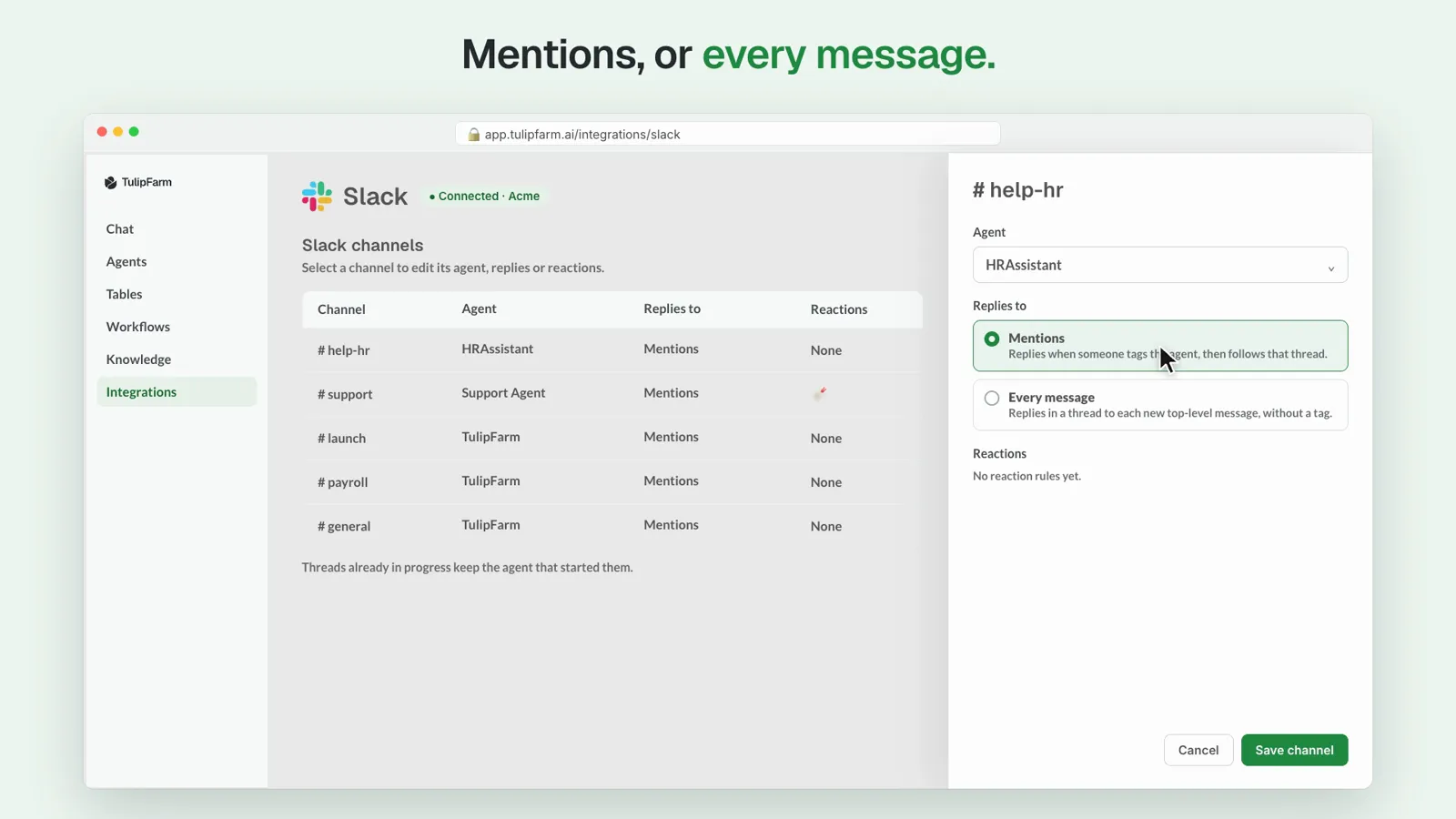
Give each channel its own agent
Put HRAssistant in #help-hr and Support Agent in #support. Choose whether each agent replies only when someone tags it, or to every new message in the channel.
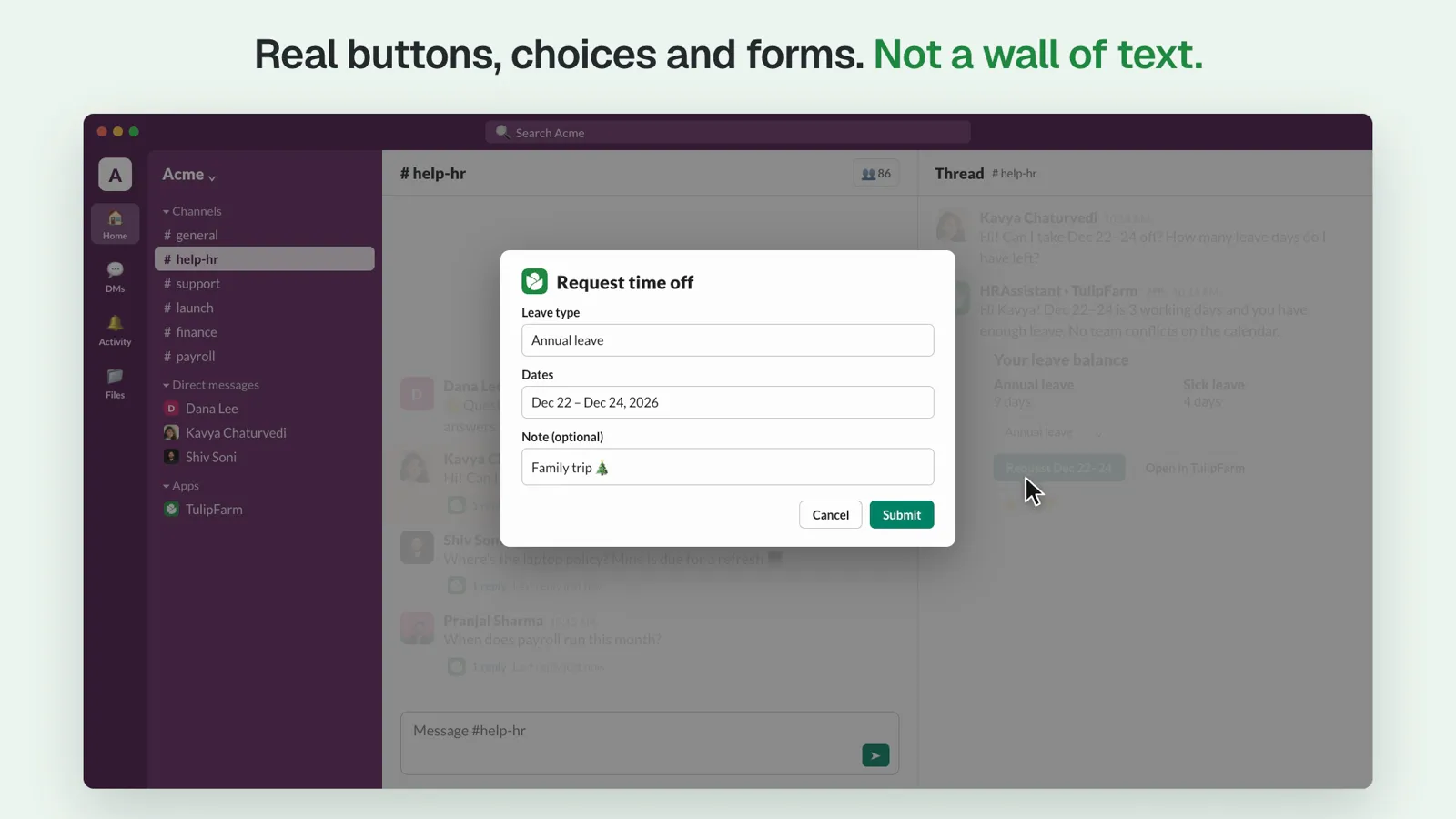
Get buttons, choices and forms, not a wall of text
Replies can include buttons, menus and forms that open in Slack, like a time-off request with the dates filled in. Only the person who asked can use them.
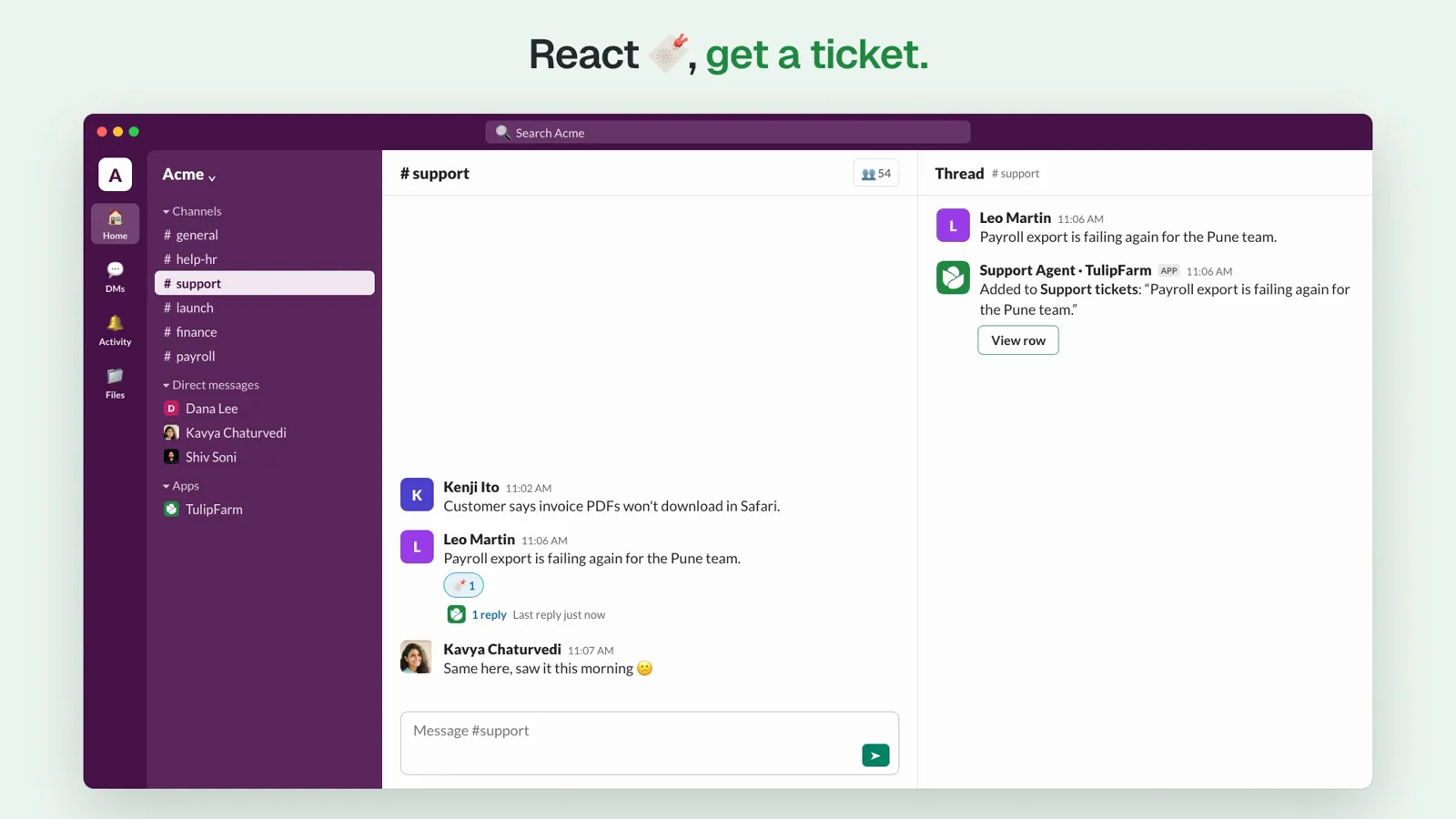
React with an emoji to run a rule
Give each channel its own reaction rules. In #support, a 🔖 reaction can add a message to your Support tickets table and reply in its thread with a link to the new row.
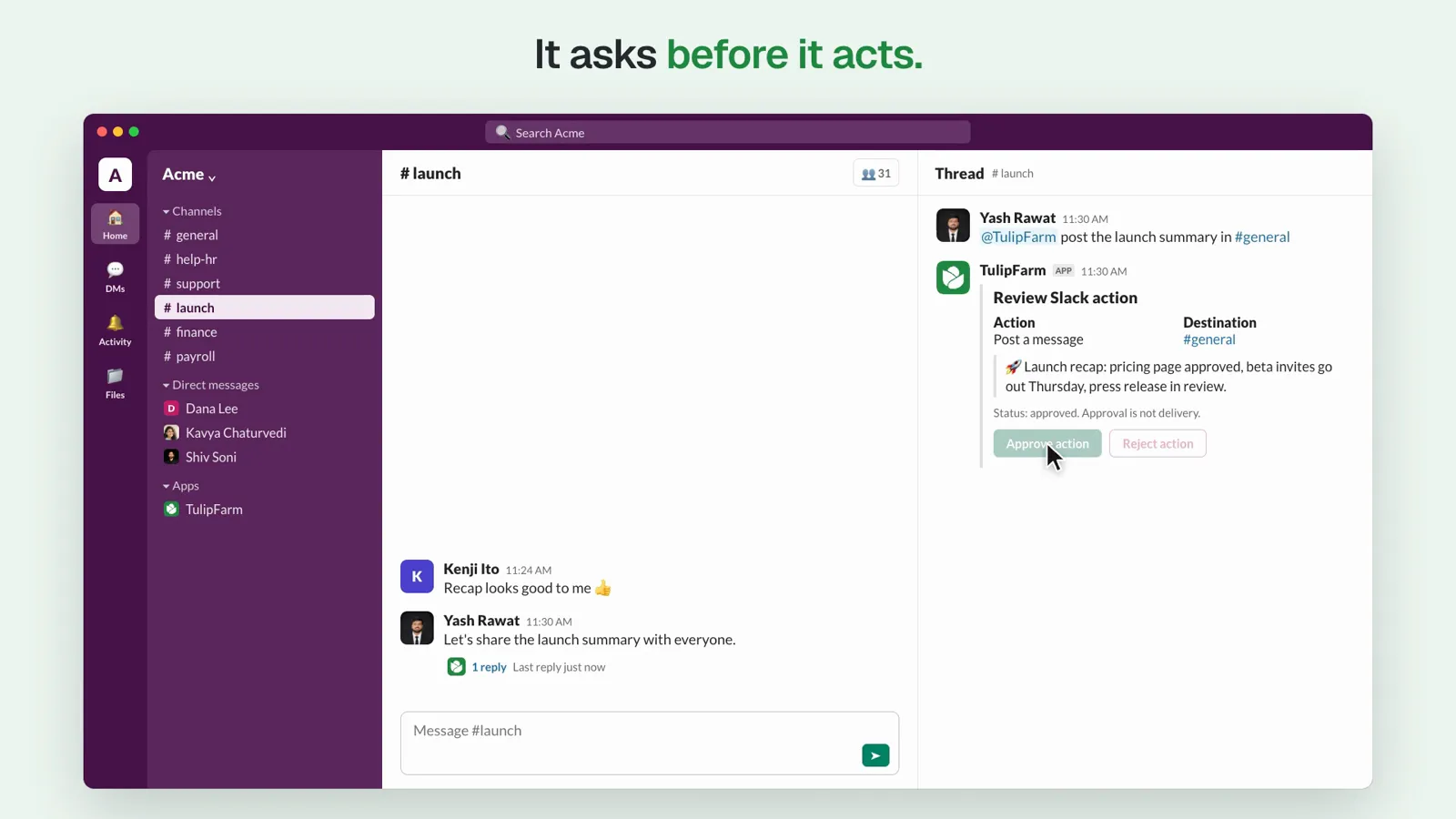
Approve actions before they happen
When an agent wants to post to another channel and the action needs approval, it shows the destination and message on a review card. Approve or reject it from the card.
More ways to work with it
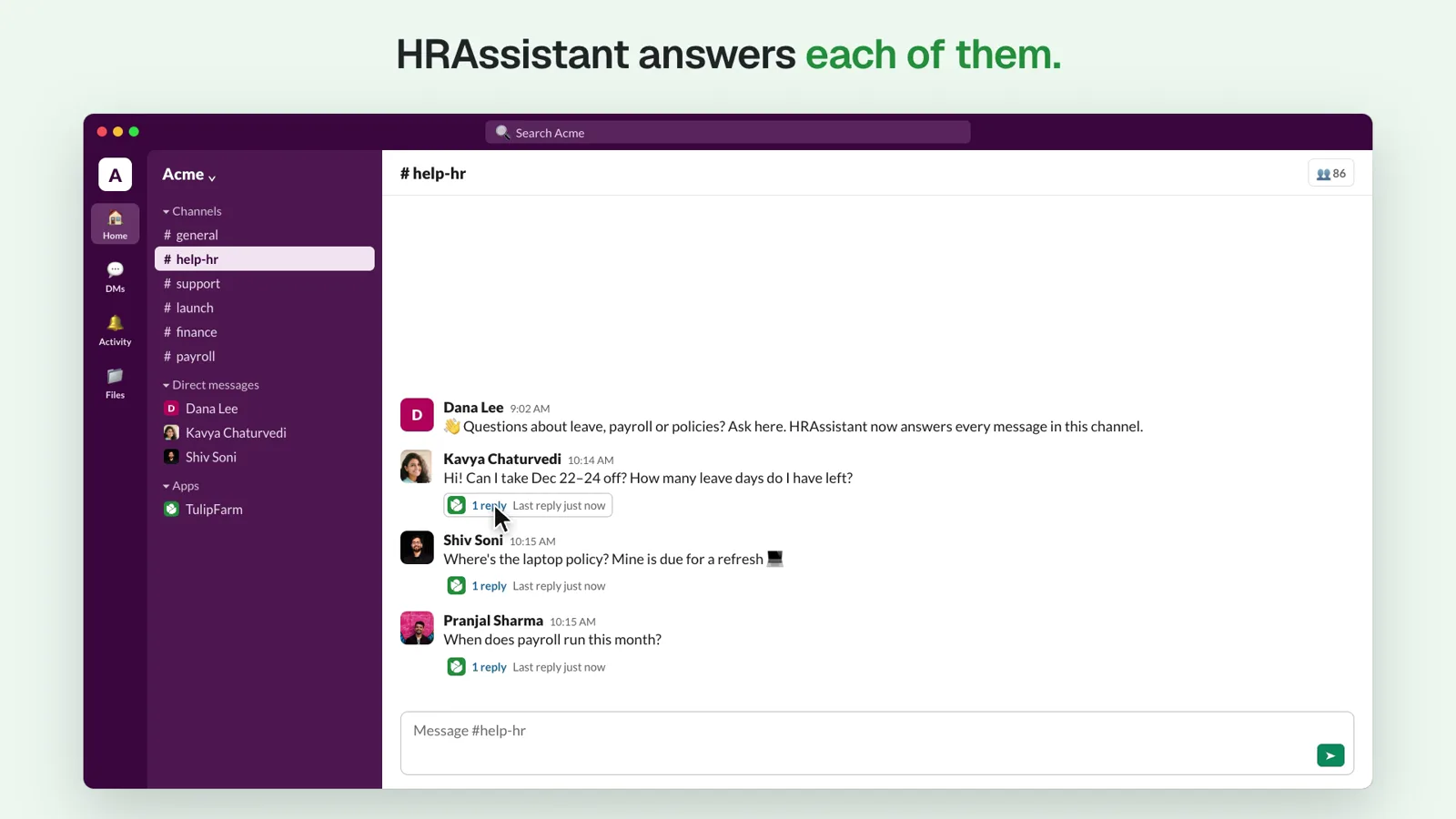
Every question gets its own thread
Several people can ask the same agent at once. Each gets an answer in their own thread, and each run belongs to the person who asked.
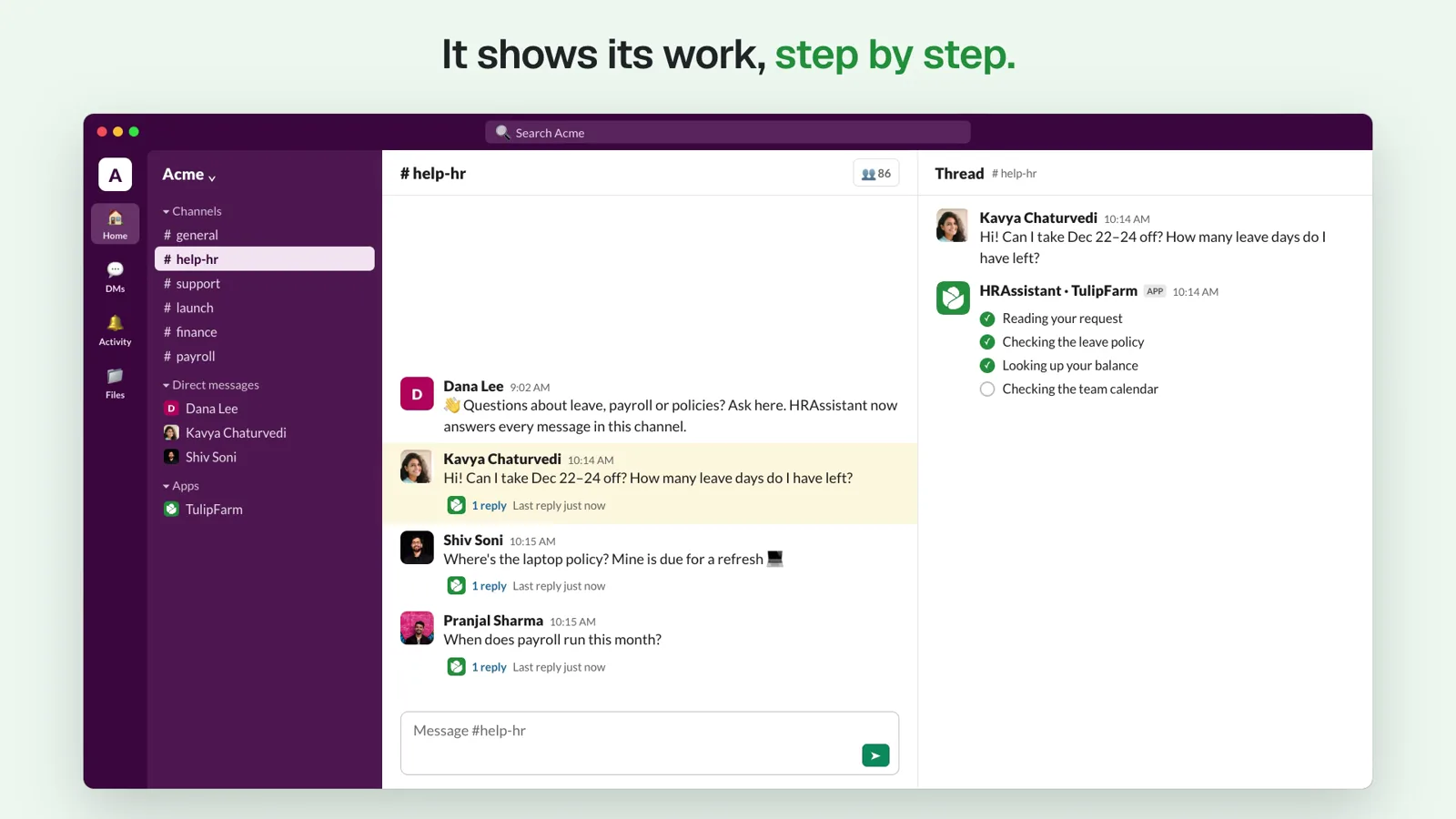
Follow the work as it happens
The agent shows its steps as it works, so you can see what it is doing before the answer arrives.
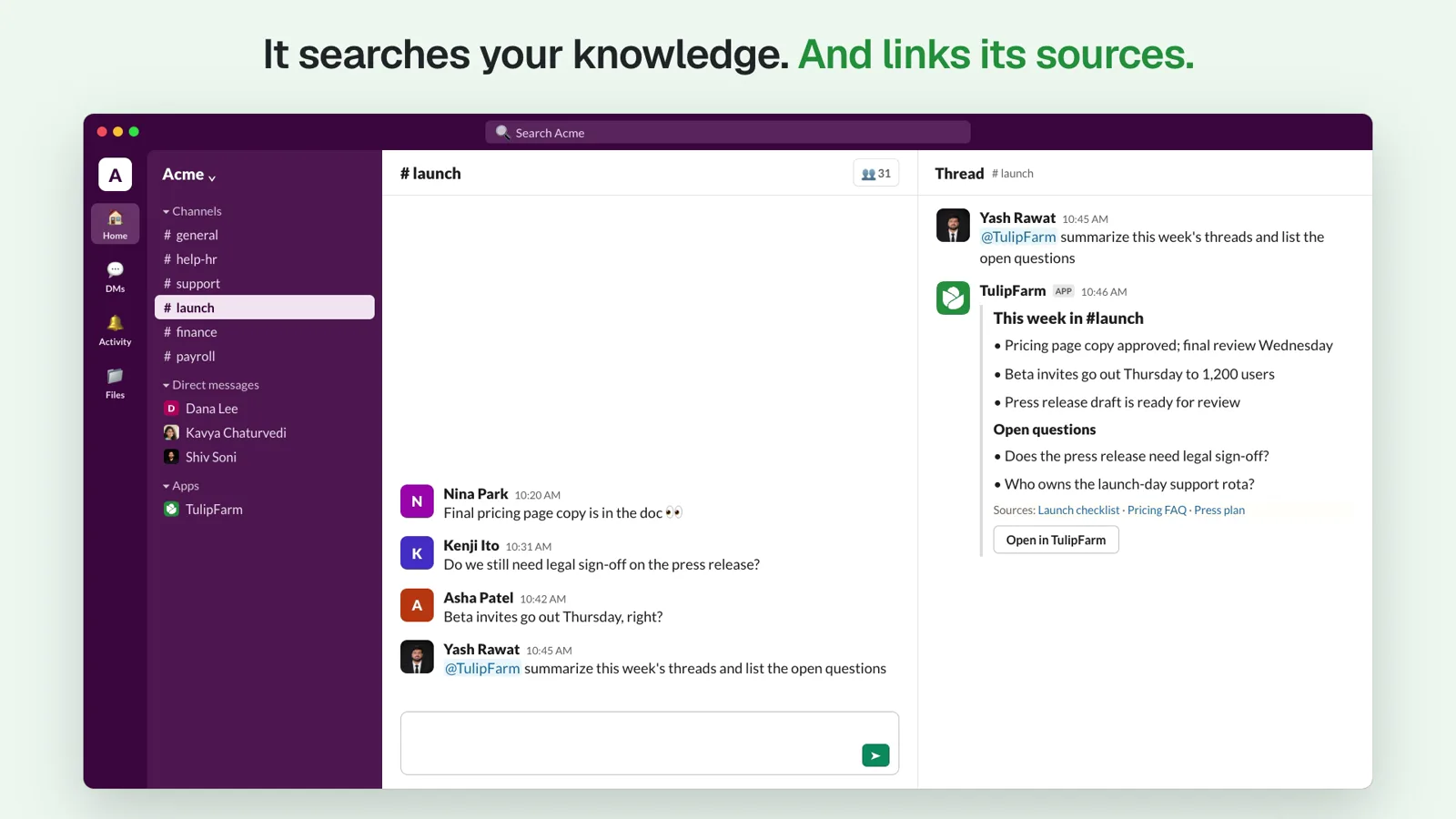
Answers that link their sources
Mention TulipFarm for bigger jobs, like summarizing this week’s threads. It searches your knowledge sources and links the documents it used.
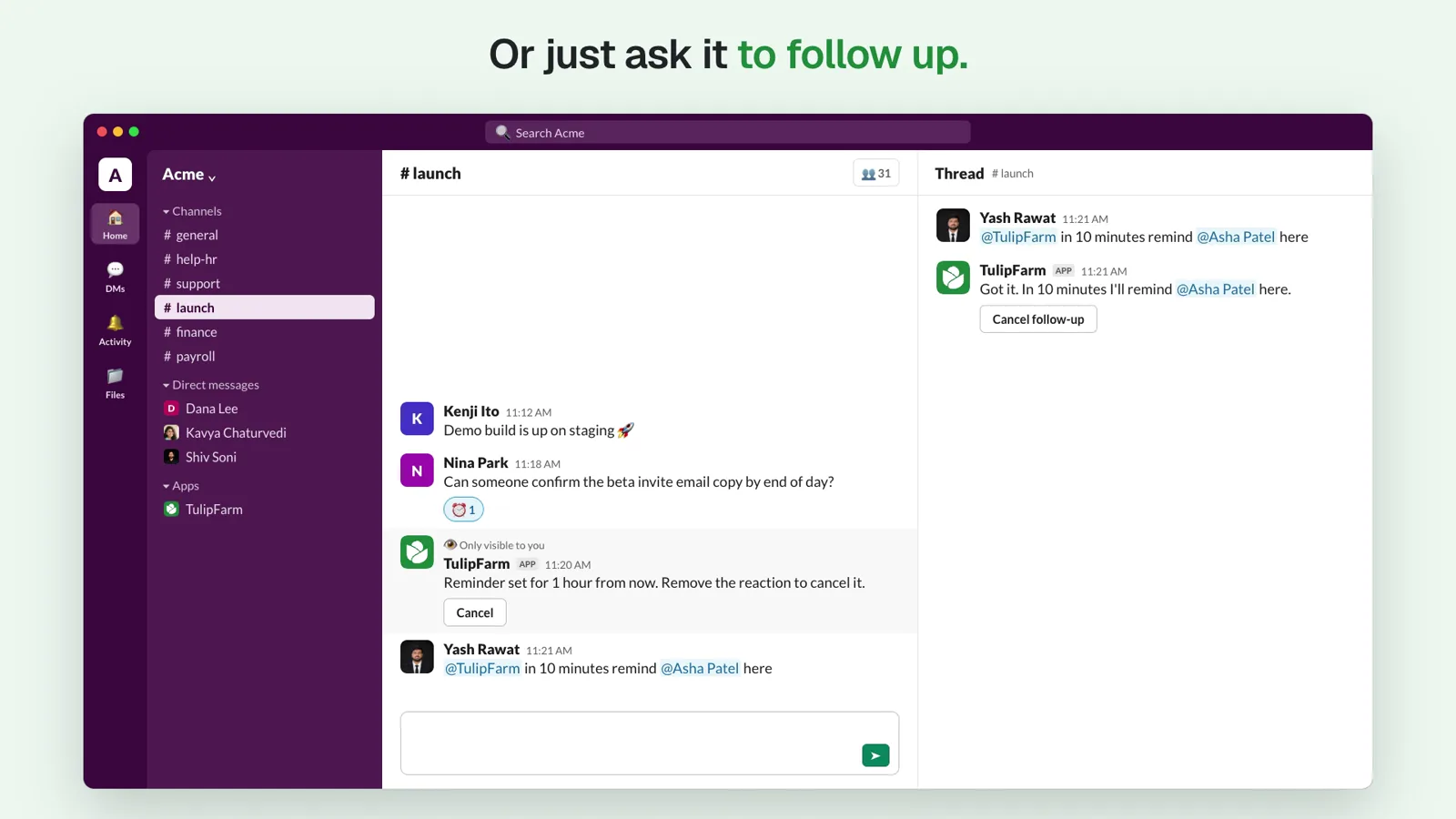
Reminders and follow-ups
React with ⏰ and TulipFarm reminds you in that thread an hour later. Or ask “in 10 minutes, remind @Asha here”, and cancel from the button in the thread.
Set it up in four steps
A connection manager sets up Slack once. After that, each teammate links their own Slack account.
Connect Slack
In TulipFarm, open Connections, select Slack, then select Connect and follow the Slack steps.
Invite TulipFarm to a channel
Send /invite @TulipFarm in the channel. TulipFarm reads only the channels it belongs to.
Attach an agent
On the agent’s Slack tab, choose the channel and whether the agent answers mentions or every message.
Link your Slack account
The first time you message TulipFarm, it sends a link to connect your Slack identity. Your request stays saved while you link.
You decide who it answers
Slack is where the conversation happens. TulipFarm’s access rules still decide who can use an agent and what it can reach.
- Linked members only
- An agent answers a Slack user only after they link their account, and only while they are a member of your TulipFarm workspace. TulipFarm doesn’t match accounts by email address.
- Only the channels you add
- TulipFarm reads messages only in channels it has been invited to. An agent manager can limit which channels each agent uses.
- Shared with chosen people
- Connection managers choose which people and teams can use the Slack connection and who can manage it.
- Approval in the thread
- Slack actions that need approval wait on a review card. Nothing is posted until someone approves it.
Questions about TulipFarm in Slack
How do I add TulipFarm to Slack?
Sign up for TulipFarm Cloud, open Connections, select Slack and then Connect. Then send /invite @TulipFarm in each channel where you want it, and attach an agent to that channel on the agent’s Slack tab.
Who can ask a TulipFarm agent in Slack?
Slack users who have linked their Slack account to TulipFarm and are current members of the TulipFarm workspace. The first time someone messages TulipFarm, it sends them a link to connect their Slack identity.
Does TulipFarm read every Slack channel?
No. TulipFarm reads messages only in channels it has been added to with /invite @TulipFarm. An agent manager can also limit which of those channels each agent uses.
Can each Slack channel have a different agent?
Yes. Attach one agent to each channel, such as HRAssistant in #help-hr and Support Agent in #support, and choose whether it replies to mentions only or to every new message.
Can a TulipFarm agent post in Slack without asking?
Slack actions that need approval, such as posting to another channel, wait on a review card that shows the destination and message. They run only after someone approves them.
How much does TulipFarm in Slack cost?
TulipFarm Cloud is in research preview and open to everyone. Your first signup includes $50 in free credits. See the pricing page for credit details.
Connect Slack today
Sign up for TulipFarm Cloud, connect Slack and give your busiest channel its own agent. Your first signup includes $50 in free credits.