

Introducing TulipFarm Knowledge
 By Dhruv Jain
On this page
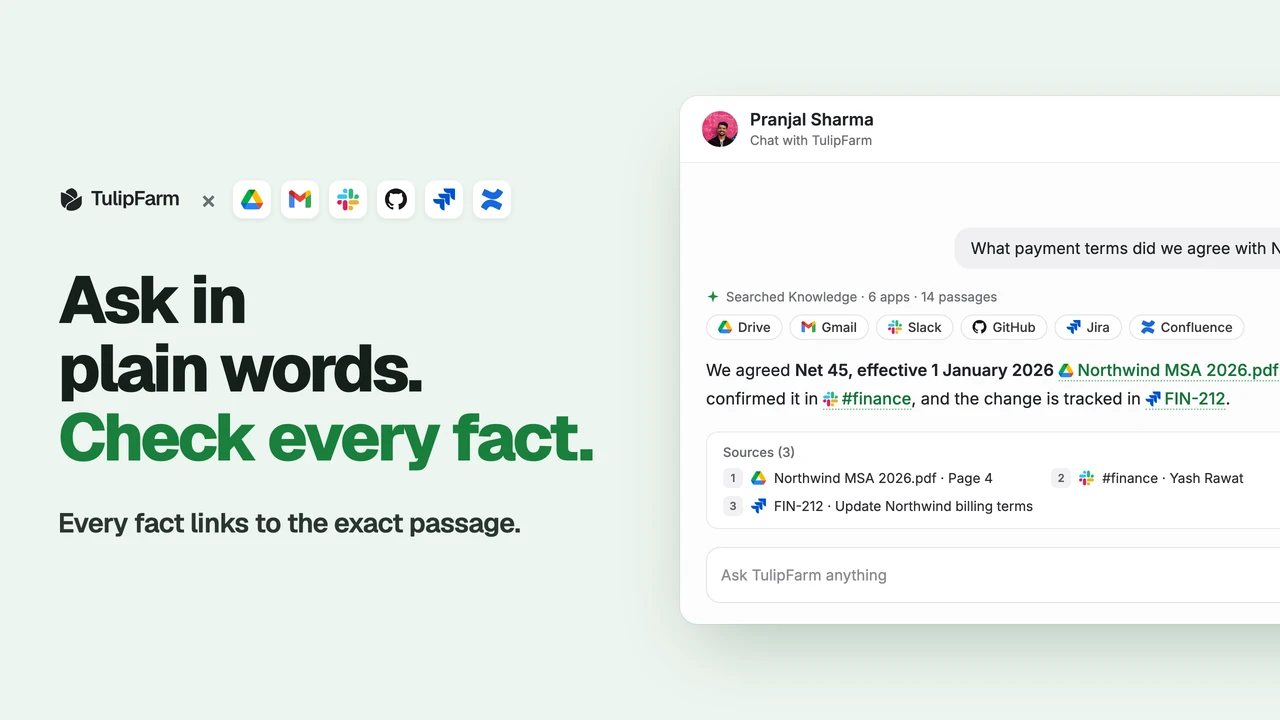
TulipFarm Knowledge lets your chats and agents answer from what your company already knows, with a citation for every fact.
Connect Google Drive, Gmail, Slack, GitHub, Jira or Confluence, and TulipFarm adds it to your Knowledge and keeps it in sync. Add notes and files of your own too. Then ask in plain words. TulipFarm searches all of it at once and answers with links to the exact passages it used, and it only shows you what you can already open at the source.
We built Knowledge because the answer to most work questions already exists. It is in a contract in Drive, a message in #finance, a Jira issue or a scan of a handwritten bill. Finding it means knowing which app to open and what someone called the file. Now you ask once, and the agent does the looking. Knowledge is available in TulipFarm Cloud and in open-source TulipFarm.
Watch TulipFarm Knowledge on YouTube.
Asking TulipFarm what your company knows
If you have asked a TulipFarm agent a question, this will feel familiar. Ask in chat, and the agent searches Knowledge as one of its tools before it replies. Here is what that looks like when Pranjal asks: “What payment terms did we agree with Northwind?”
It searches every source at once. By default a search covers every kind of source in Knowledge: notes, files, Google, Slack, GitHub, Confluence and Jira. Pranjal doesn’t need to know where the answer lives. TulipFarm replies “Net 45, effective 1 January 2026” and cites the three places that say so: Northwind MSA 2026.pdf in Drive, Yash’s message confirming it in #finance, and FIN-212, the Jira issue that tracked the change.
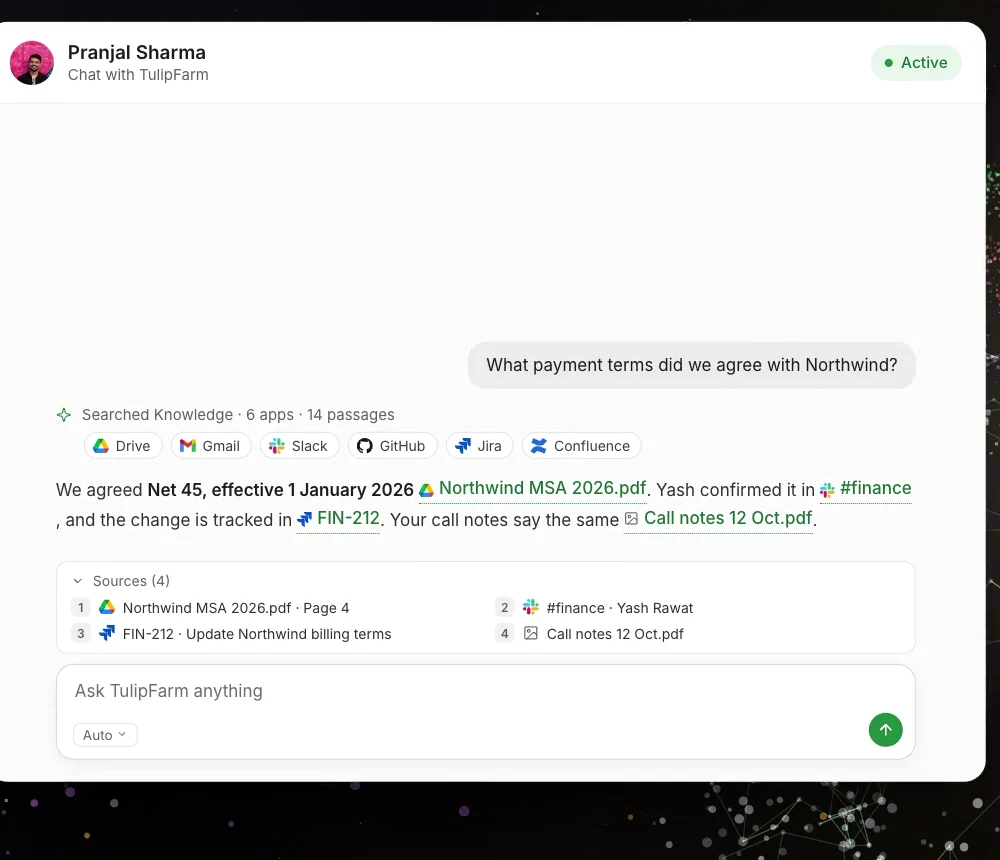
Every fact links to its passage. A citation points to one passage in one version of a document, with its page, slide or sheet when known. Opening it shows the exact text the answer used. If that text has since been replaced, or your access has ended, the citation shows nothing rather than something newer. Search combines keywords with meaning: keyword search works as soon as a document is read, and semantic search joins in once it is ready. Read how Knowledge works for the details.
It says when sources disagree. Suppose a three-year-old Confluence page still says Net 30. TulipFarm doesn’t quietly pick a winner. When sources contradict each other, or a fact is missing, the answer says so and links each source, so Pranjal can see which one is out of date.
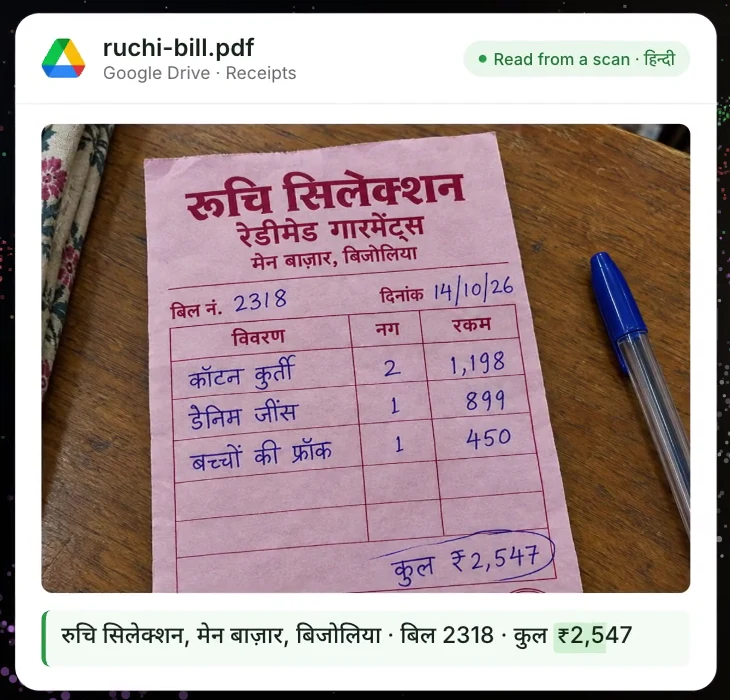
It reads what’s in the pictures. Knowledge reads images, photos and scanned pages: every word they show, in any language or handwriting, plus a description of what they depict. A scan of a handwritten bill from रुचि सिलेक्शन, मेन बाज़ार, बिजोलिया, a ready-made garments shop, saved as a PDF in Google Drive, becomes text you can search and cite. Charts in slides and spreadsheets are read from the file itself and become tables. Video, audio and anything else Knowledge can’t read is reported as a gap, so a partly read document is never shown as complete.
Updating what TulipFarm knows
Knowledge is only as good as what it holds. Connected apps keep syncing, so a new message in #finance or a new contract in Drive reaches Knowledge without anyone adding it again. When an agent wants to change a Knowledge entry, or a document, page or issue in a connected app, it asks first.
Tell it once. When Pranjal says “From now on, invoice Northwind on Net 45”, the agent can propose saving that as a note in Pranjal’s Knowledge. It shows a review card with the title and text, and nothing is saved until Pranjal approves it. The agent can propose editing or removing an entry the same way. If the entry changes before the card is approved, the card goes stale and approving it changes nothing.
It learns from your chats. When a chat closes, TulipFarm writes a short recap of it and adds that recap to Knowledge. Weeks later, when Pranjal asks where Northwind invoices go, the answer cites his earlier chat as a Chat recap. A recap is only searchable by people who could read the chat it came from.
Your preferences stay yours. How you like replies, such as shorter, in Hindi or as a table, belongs in personal memory: a short document that only you can read. TulipFarm saves reply preferences to it in two ways. Ask it to remember something in a private chat, and it shows the change for you to save. And after a private chat closes, TulipFarm checks what you said and saves any reply preferences on its own, based on your own words. Memory only shapes how TulipFarm replies to you; it never grants permission to do anything.
Fix the source, with approval. When an answer shows that the Confluence page is out of date, ask the agent to update it. With Confluence connected, it prepares the exact page update, and nothing changes in Confluence until a person approves that exact change.
Getting started
We built Knowledge for teams, so what it reads and who sees it stay under your control.
- Added when you connect, yours alone. Connecting an app adds what you can read there to your own Knowledge, and keeps it in sync. Nobody else in the workspace can search what your connection adds. On the Knowledge page you can narrow what each app adds, and pause, resume or retry its sync. For GitHub, that means every repository the account can read, including code, issues, pull requests, discussions and commits; repositories it gains access to later join on the next sync.
- The source’s permissions come along. Drive material follows Drive sharing and groups, Slack follows channel membership, GitHub follows repository access, Confluence follows page restrictions, and Jira follows project and issue security. Gmail is visible only to its owner. If Yash leaves #finance, answers to him stop citing it.
- Checked every time. A permission check is at most five minutes old, and opening a citation checks your access again. When access can’t be checked, TulipFarm says the source is unavailable instead of claiming there is nothing to find.
- Removing is clean. Removing an entry from Knowledge doesn’t delete the original in Files or in the connected app, and old citations stop showing its text.
To get started, sign up for TulipFarm Cloud and follow these four steps:
- Open Integrations and connect Google, Slack, GitHub or Atlassian (for Jira and Confluence). TulipFarm starts adding it to your Knowledge.
- Open Knowledge to follow its progress, narrow what each app adds, or pause, resume or retry its sync. See how to add files and apps to Knowledge.
- To add a file you already have, open it in Files and select Add to Knowledge.
- Ask a question in chat. Each answer links the passages it used.
A workspace holds up to 10,000 documents; see Knowledge sources and limits for the rest. Semantic search and reading images use credits, and keyword search keeps working while semantic search waits. Your first signup includes $50 in free credits. See every app you can connect in the integrations docs.
Knowledge is part of open-source TulipFarm, under the AGPL-3.0 license. If you run it yourself, you choose the model that reads images: any model in your catalog that accepts images can take that role.
We’d love to hear which apps your team wants to add to Knowledge next: get in touch.